Sort a small batch while preserving files you may still need. This worked guide uses a small reproducible example so you can check the result before adapting it to your own task.
시작하기 전에
- Access to the downloads folder
- A separate review folder
- A known backup for important files
단계별 안내
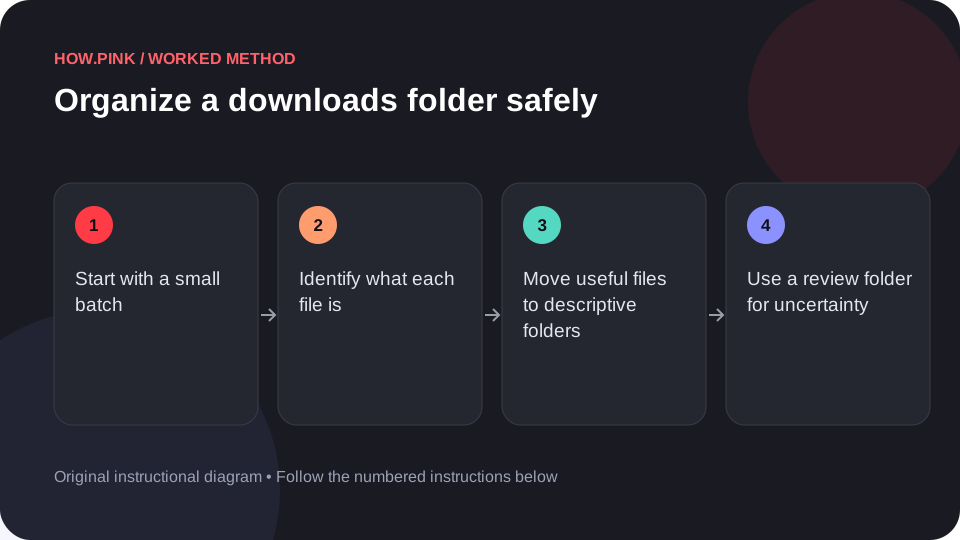
Start with a small batch
Sort the view by date or name using your file manager. Choose a limited group rather than trying to decide on the entire folder at once.

Identify what each file is
Use the filename and a trusted viewer to check uncertain items. Do not open unknown executable files simply to discover what they do.
Move useful files to descriptive folders
Place documents, images and project materials in the locations where you normally use them. Keep related files together.
Use a review folder for uncertainty
Move undecided files into a dated review folder. Do not delete something important merely because the filename is unclear.
Check moved files before deleting copies
Open a few relocated files from their new locations. Confirm important work is preserved before removing redundant downloads.
도움말 및 문제 해결
- Keep software installers only when you have a clear reason and trust their source.
- A move is easier to review than permanent deletion.
자주 묻는 질문
How should I adapt this guide to my situation?
Begin with the small example, use the instructions for your actual materials or equipment, and change one thing at a time so the result can be checked.
What should I check before finishing?
Open a few relocated files from their new locations. Confirm important work is preserved before removing redundant downloads.