Verify a copy with counts, sample opens and a destination check. This worked guide uses a small reproducible example so you can check the result before adapting it to your own task.
시작하기 전에
- The original folder
- A separate destination with enough space
단계별 안내
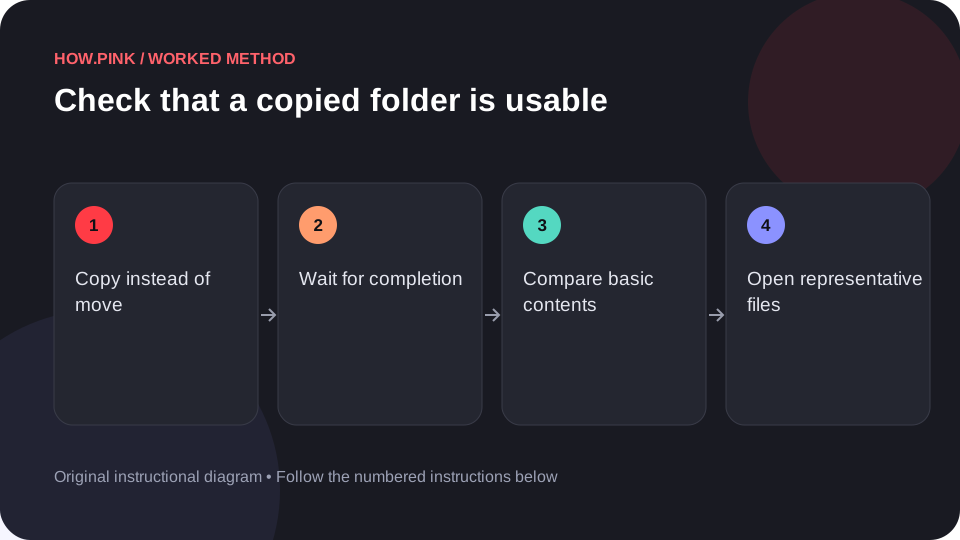
Copy instead of move
Use the file manager’s copy action so the original remains in place. Choose a destination you can identify clearly.

Wait for completion
Let the copy finish and inspect any error messages. Do not assume that a partially completed progress bar means all files are available.
Compare basic contents
Check the number of files and the visible folder structure. Investigate unexplained differences rather than ignoring them.
Open representative files
Open a few different file types from the destination, including a larger file and a recently edited one. Confirm you are opening the copied path.
Record the result
Note the destination and date. Keep the original until you are satisfied the copy is complete; for important archives, use a backup tool with verification appropriate to the data.
도움말 및 문제 해결
- A successful sample check is useful but does not prove every byte matches.
- A copy on the same device may not protect against device failure.
자주 묻는 질문
How should I adapt this guide to my situation?
Begin with the small example, use the instructions for your actual materials or equipment, and change one thing at a time so the result can be checked.
What should I check before finishing?
Note the destination and date. Keep the original until you are satisfied the copy is complete; for important archives, use a backup tool with verification appropriate to the data.