Keep a small set of links based on the tasks you actually revisit. This worked guide uses a small reproducible example so you can check the result before adapting it to your own task.
Antes de empezar
- A browser’s bookmark manager
- A small group of existing bookmarks
Guía paso a paso
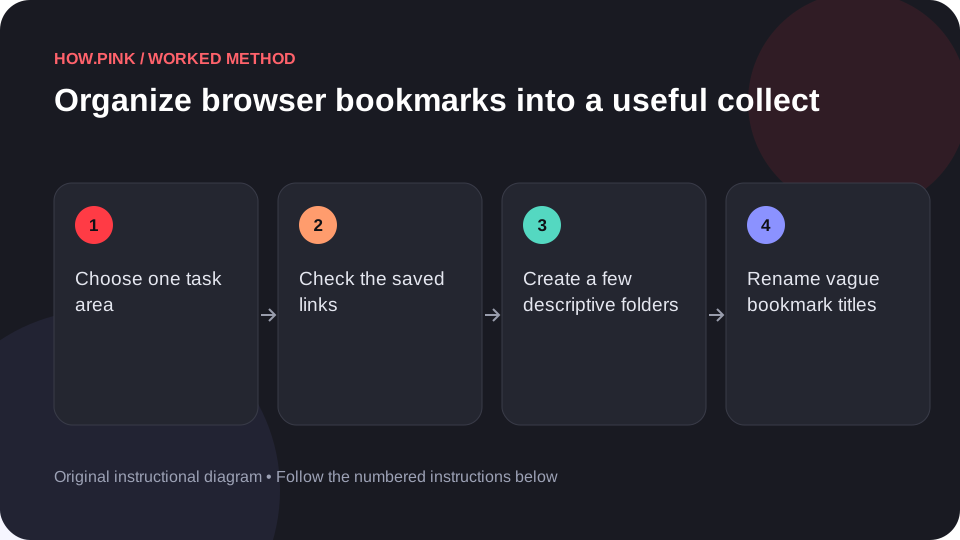
Choose one task area
Start with a subject such as a course or project. Avoid reorganizing every saved link at once.

Check the saved links
Open relevant bookmarks and confirm that the destination is still useful. Review the page before removing a link you may need.
Create a few descriptive folders
Group links by purpose, such as references, tools and current work. Use names that explain why you saved the link.
Rename vague bookmark titles
Replace a generic title with a short description of the page’s value. Keep the name concise enough to scan.
Test retrieval
Close the bookmark manager and find one reference using the new structure. Simplify folders that make the search slower.
Consejos y solución de problemas
- A bookmark does not preserve a page if the site later removes it.
- Avoid saving account secrets in bookmark names or URLs.
Preguntas frecuentes
How should I adapt this guide to my situation?
Begin with the small example, use the instructions for your actual materials or equipment, and change one thing at a time so the result can be checked.
What should I check before finishing?
Close the bookmark manager and find one reference using the new structure. Simplify folders that make the search slower.