Use clear names and locations to reduce version confusion. This worked guide uses a small reproducible example so you can check the result before adapting it to your own task.
Antes de começar
- A project folder
- The relevant document versions
Guia passo a passo
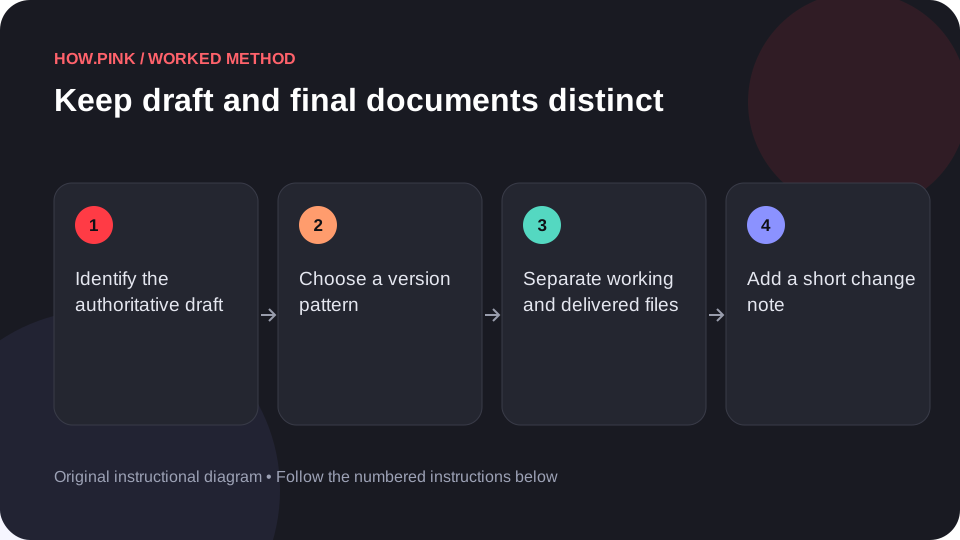
Identify the authoritative draft
Open the recent versions and determine which contains the intended current content. Do not choose only by a filename containing final.

Choose a version pattern
Use a simple sequence such as v01, v02 and v03 or a date when that is clearer. Apply the pattern consistently.
Separate working and delivered files
Keep editable drafts in a working location and checked deliverables in a final location. Avoid multiple competing final folders.
Add a short change note
Record the meaningful change beside a new major version. This helps distinguish a content revision from a file-format export.
Check the file before sharing
Open the exact file you plan to send and inspect its title and content. Share that checked path rather than selecting from a confusing recent-files list.
Dicas e solução de problemas
- Version names help only when the underlying content is checked.
- Keep the editable source alongside, but distinct from, exported deliverables.
Perguntas frequentes
How should I adapt this guide to my situation?
Begin with the small example, use the instructions for your actual materials or equipment, and change one thing at a time so the result can be checked.
What should I check before finishing?
Open the exact file you plan to send and inspect its title and content. Share that checked path rather than selecting from a confusing recent-files list.