Describe the information the image contributes in its actual context. This worked guide uses a small reproducible example so you can check the result before adapting it to your own task.
Zanim zaczniesz
- The image
- The surrounding page content
- A way to edit the image’s alt attribute or equivalent
Poradnik krok po kroku
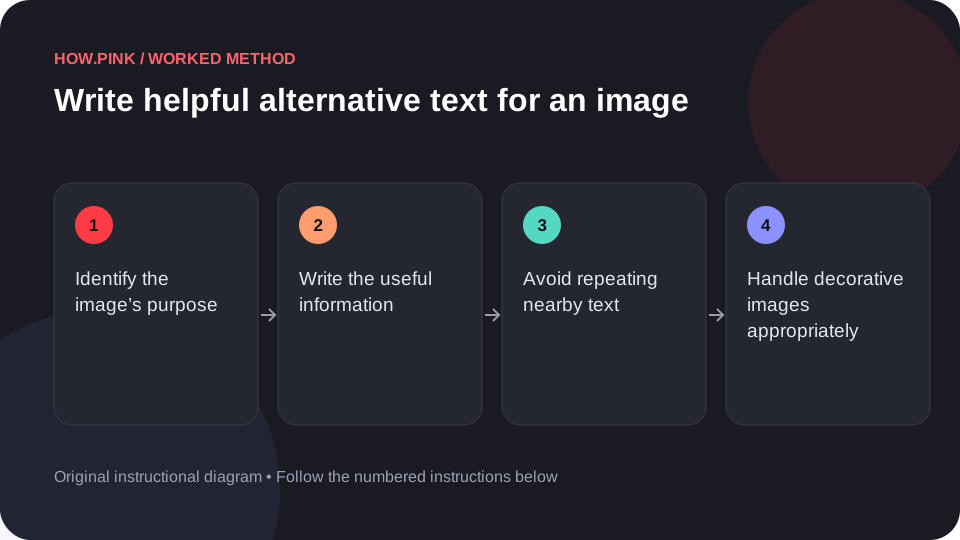
Identify the image’s purpose
Ask what the image adds to this page. A tutorial diagram, a product photo and a decorative texture have different roles.

Write the useful information
Describe the key subject or result in plain language. For a tutorial, include the relevant state or action rather than every visible detail.
Avoid repeating nearby text
Keep the description focused. If a nearby caption already explains part of the image, use the alternative text for the information still needed.
Handle decorative images appropriately
If the image is purely decorative, use the platform’s decorative-image setting or an empty alt attribute as appropriate. Do not fill it with unrelated keywords.
Read the page without the image
Review the surrounding text and the alternative text together. Confirm that the essential meaning still makes sense.
Wskazówki i rozwiązywanie problemów
- Complex charts or diagrams may need a longer text explanation nearby.
- Alternative text is not a place for keyword stuffing.
Częste pytania
How should I adapt this guide to my situation?
Begin with the small example, use the instructions for your actual materials or equipment, and change one thing at a time so the result can be checked.
What should I check before finishing?
Review the surrounding text and the alternative text together. Confirm that the essential meaning still makes sense.