Improve stability, focus and timing before reaching for editing tools. This worked guide uses a small reproducible example so you can check the result before adapting it to your own task.
Voordat je begint
- A camera or phone
- A well-lit subject
Stapsgewijze handleiding
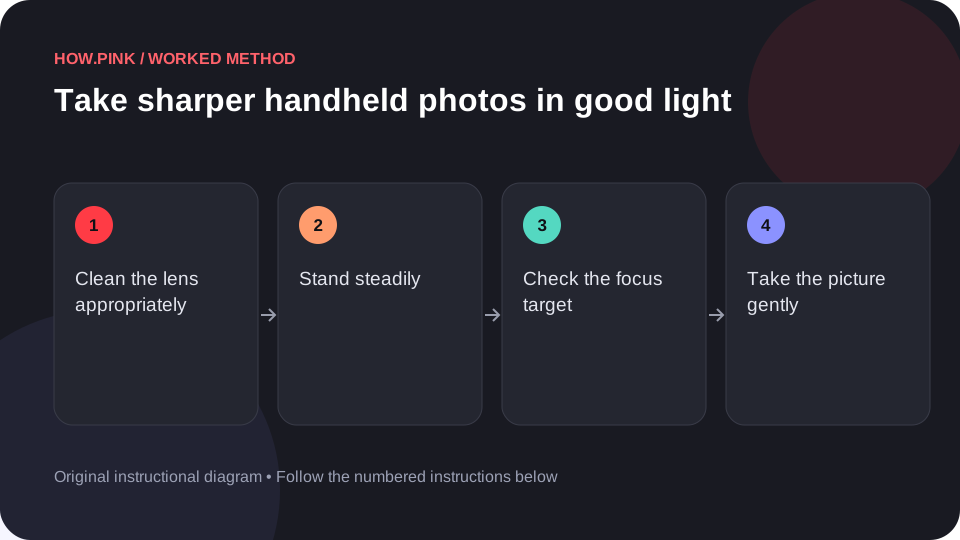
Clean the lens appropriately
Use a suitable clean lens cloth according to the device’s care instructions. A fingerprint can reduce contrast even when the image appears in focus.

Stand steadily
Use a comfortable stance and hold the device with both hands. Support your elbows near your body without forcing an awkward position.
Check the focus target
Place the intended subject where the camera can focus clearly. Use the device’s focus control if available and confirm that the important detail looks sharp.
Take the picture gently
Press the shutter without jerking the device. For a still subject, use a timer or stable support if pressing the shutter causes movement.
Inspect and repeat if needed
Zoom into the saved image and compare the important detail with the background. Take another frame if camera movement or missed focus is visible.
Tips en probleemoplossing
- More light often makes handheld photography easier.
- Do not mistake oversharpening for genuinely captured detail.
Veelgestelde vragen
How should I adapt this guide to my situation?
Begin with the small example, use the instructions for your actual materials or equipment, and change one thing at a time so the result can be checked.
What should I check before finishing?
Zoom into the saved image and compare the important detail with the background. Take another frame if camera movement or missed focus is visible.