Make a flat, readable image with even light and a complete page border. This worked guide uses a small reproducible example so you can check the result before adapting it to your own task.
시작하기 전에
- The document
- A flat surface
- Even lighting
- A camera or phone
단계별 안내
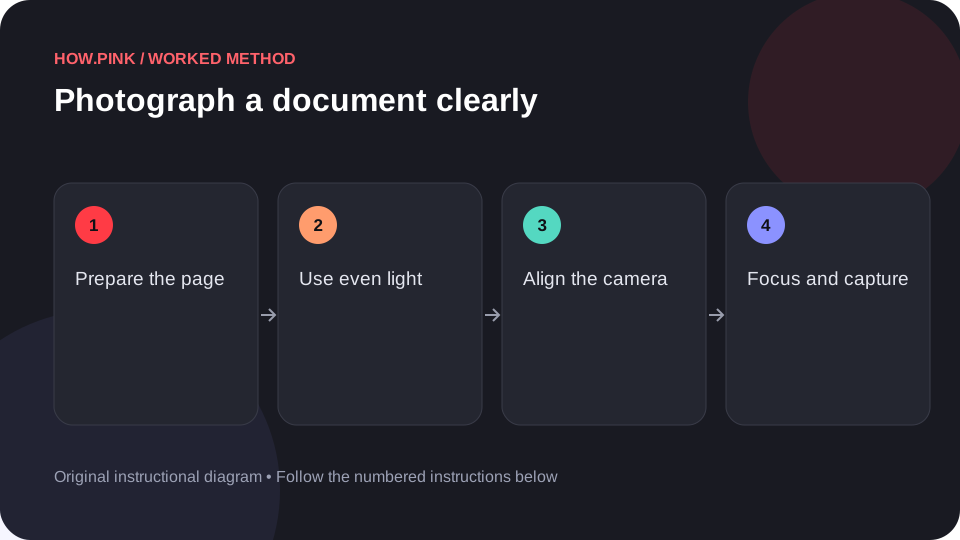
Prepare the page
Flatten the document gently and place it on a contrasting plain surface. Remove objects covering text or corners.

Use even light
Avoid a lamp position that casts your shadow across the page. Check for glare, especially on glossy paper.
Align the camera
Position the camera as parallel to the page as practical. Include all four corners and leave a small border around the document.
Focus and capture
Focus on the text and hold the camera steadily. Take a test image before capturing multiple pages.
Check readability and privacy
Open the saved image and read small text at full size. Retake blurred pages and share the image only through an appropriate private channel if it contains personal details.
도움말 및 문제 해결
- Keep pages in order when photographing a multi-page document.
- A readable capture matters more than decorative background styling.
자주 묻는 질문
How should I adapt this guide to my situation?
Begin with the small example, use the instructions for your actual materials or equipment, and change one thing at a time so the result can be checked.
What should I check before finishing?
Open the saved image and read small text at full size. Retake blurred pages and share the image only through an appropriate private channel if it contains personal details.