Export a document and inspect the actual PDF before sharing it. This worked guide uses a small reproducible example so you can check the result before adapting it to your own task.
始める前に
- A finished document
- A document editor with PDF export
ステップごとの手順
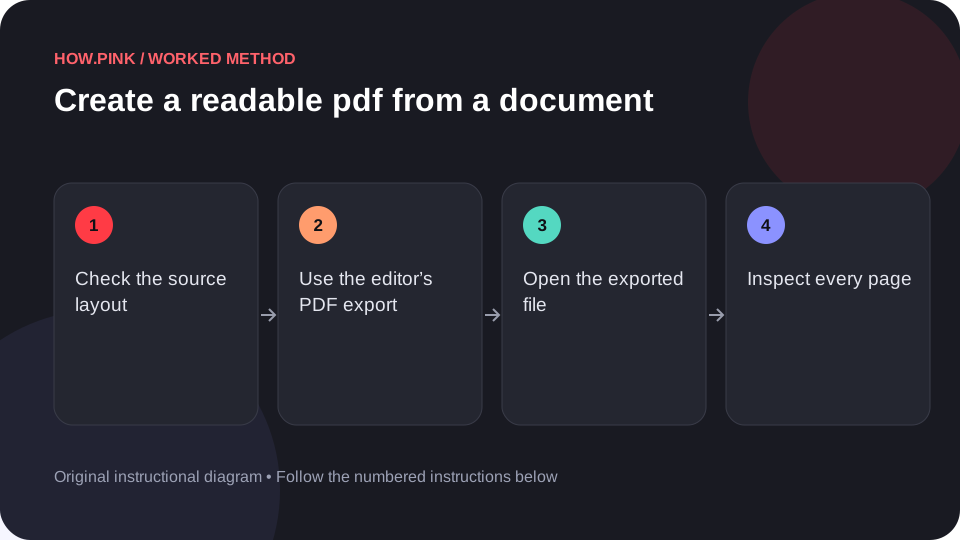
Check the source layout
Review headings, page breaks, images and margins in the document. Remove comments or private information that should not be in the shared version.

Use the editor’s PDF export
Choose the application’s PDF export or save-as-PDF function. Use settings appropriate to the intended screen or print use.
Open the exported file
Open the actual PDF in a PDF viewer rather than relying only on the document editor preview.
Inspect every page
Check for clipped text, missing characters, unexpected blank pages and images crossing margins. Test links if the PDF is meant to contain working links.
Save a clear final filename
Use a descriptive name and retain the editable source separately. Share the checked PDF rather than an earlier unchecked export.
ヒントとトラブル対処
- A PDF export can look different from the editable document.
- Check accessibility options available in the source editor when relevant.
よくある質問
How should I adapt this guide to my situation?
Begin with the small example, use the instructions for your actual materials or equipment, and change one thing at a time so the result can be checked.
What should I check before finishing?
Use a descriptive name and retain the editable source separately. Share the checked PDF rather than an earlier unchecked export.